Workspace
Power Strip vs Surge Protector: Home Office Safety Guide
What belongs on a power strip, what needs surge protection, and how to reduce standby power without creating a desk hazard.
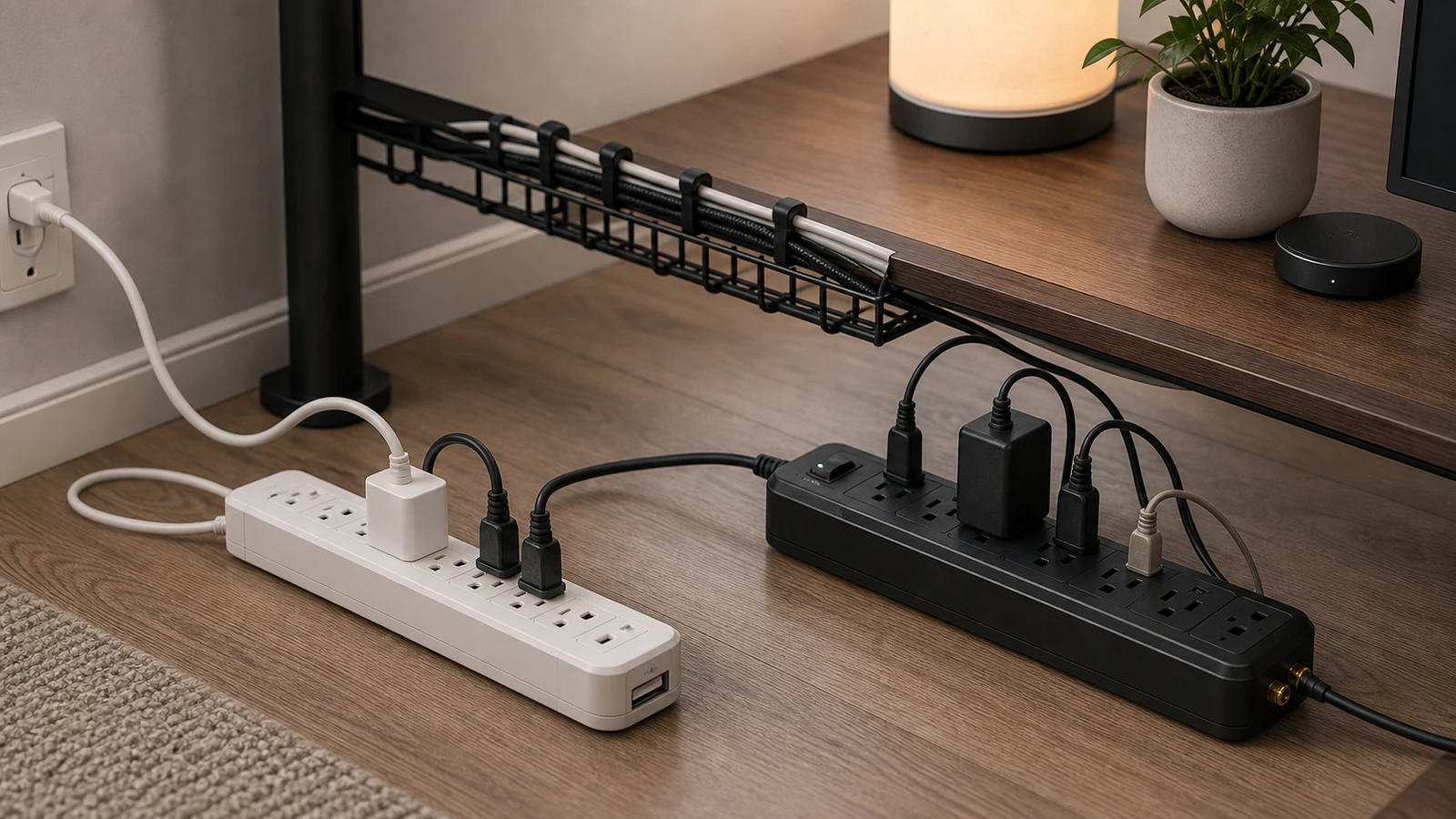
Power strips and surge protectors look similar, but they solve different problems. A basic power strip gives you more outlets. A surge protector adds components intended to reduce voltage spikes before they reach connected electronics.
For a home office, the practical question is not “which one is best?” It is “what should be plugged in, what should be protected, and what should never be loaded onto the strip?”
The simple difference
| Device | What it does | Best use |
|---|---|---|
| Power strip | Adds outlets from one wall receptacle | Low-power desk accessories when the strip is properly rated |
| Surge protector | Adds outlets and surge protection | Computers, monitors, routers, docks, and other electronics |
| UPS battery backup | Adds battery runtime and often surge protection | Desktop computers, network gear, and work that must not lose power suddenly |
Do not assume every multi-outlet strip is a surge protector. Look for the product label, joule rating or surge rating, certification mark, and protection status indicator if the unit has one.
What belongs on a home office surge protector
These are reasonable candidates:
- Desktop computer or mini PC
- Monitor
- Docking station
- Router or modem
- External drive enclosure
- Printer or scanner if the product rating allows it
- Desk lamp with modest power draw
- Phone and tablet chargers
Keep total load within the strip’s rating. The rating is usually printed on the product or manual. A strip with many outlets is not permission to use all of them at high load.
What should not go on a desk power strip
Avoid plugging high-load or heat-producing devices into a desk strip unless the manufacturer explicitly allows it and the circuit is appropriate:
- Space heaters
- Portable air conditioners
- Hair dryers
- Toaster ovens
- Microwaves
- Large laser printers if the manual requires a wall outlet
- Extension cords chained into another power strip
These devices can draw much more current than typical office electronics. They also tend to run hot, cycle hard, or need dedicated placement and ventilation.
Do not daisy chain strips
Daisy chaining means plugging one power strip or extension cord into another. It can hide overload, increase heat, and make it harder to see what the wall outlet is actually supplying.
Use one properly rated strip plugged directly into a wall receptacle. If you need more outlets than that, reduce devices, move equipment to another outlet on an appropriate circuit, or ask an electrician about adding outlets.
Surge protection is not permanent
Surge protectors can wear down after repeated surges. Some have a protection indicator light. If the light says protection is no longer active, replace the unit. If there is no indicator and the strip is old, damaged, or has protected equipment through known power events, replacement is usually safer than guessing.
Do not use a surge protector as an excuse to ignore backups. A surge protector can reduce certain electrical risks, but it does not replace file backups, a UPS for sudden outages, or safe wiring.
Smart plugs and standby power
Many electronics draw small standby or “phantom” loads even when switched off. The Department of Energy notes that these loads can be reduced by unplugging devices or using a power strip switch to cut power.
For a desk setup, smart plugs or smart strips are most useful for:
- Speakers or lamps that do not need power overnight.
- Chargers that do not need to stay energized all day.
- Peripheral groups that can be turned off together.
- Measuring which devices actually draw standby power.
Do not put network gear, security devices, or work-critical equipment on a schedule unless you understand what will turn off. Do not use smart plugs to control high-load devices unless the plug is rated for that exact use.
Cable placement matters
A tidy cable tray is not automatically safe. Check for:
- Cords pinched between the desk and wall.
- Power bricks stacked with no airflow.
- Cables stretched tight when the desk moves.
- Chair wheels rolling over cords.
- Dust buildup around power bricks and strips.
- Strips sitting where liquid can spill.
If you use a sit-stand desk, move the desk through its full range and watch the cables. A setup that is safe while seated may pull hard or snag at standing height.
Buying checklist
Before buying a strip or surge protector, check:
- Certification label from a recognized independent testing lab.
- Product rating that fits your expected load.
- Enough spacing for large adapters without forcing plugs.
- Surge protection indicator if you are buying a surge protector.
- Cord length that reaches the wall without tension.
- Mounting options if the strip will live under the desk.
- A layout that prevents chargers from blocking every adjacent outlet.
The lowest-cost strip is not always the cheapest choice if it creates a fire risk, damages equipment, or makes the desk harder to maintain.
Sources and further reading
- CPSC: Power Up With Safety - Extension Cords & Power Strips
- CPSC warning on faulty extension cords, power strips, and surge protectors
- U.S. Department of Energy: estimating appliance and home electronic energy use
Frequently asked questions
- Is a power strip the same as a surge protector?
- No. A power strip mainly adds outlets. A surge protector adds components intended to reduce voltage spikes. Check the label instead of relying on appearance.
- Can I plug a power strip into another power strip?
- Avoid it. Daisy chaining strips or extension cords can hide overload and increase heat. Use one properly rated strip plugged directly into a wall outlet.
- Should a desktop computer use a surge protector or a UPS?
- A surge protector is useful for many office electronics. A UPS is better when sudden power loss could interrupt work, damage files, or take network gear offline.
Last updated May 8, 2026. See our editorial policy for methodology and corrections.
The Signal Brief
One useful dispatch each week.
One sharp take, three things worth reading, and the week's buying signals.