Workspace
Monitor Arm vs Stand: Which Desk Upgrade Matters?
A measured comparison of monitor arms, risers, and stock stands: when each improves desk ergonomics, cable space, and daily comfort.
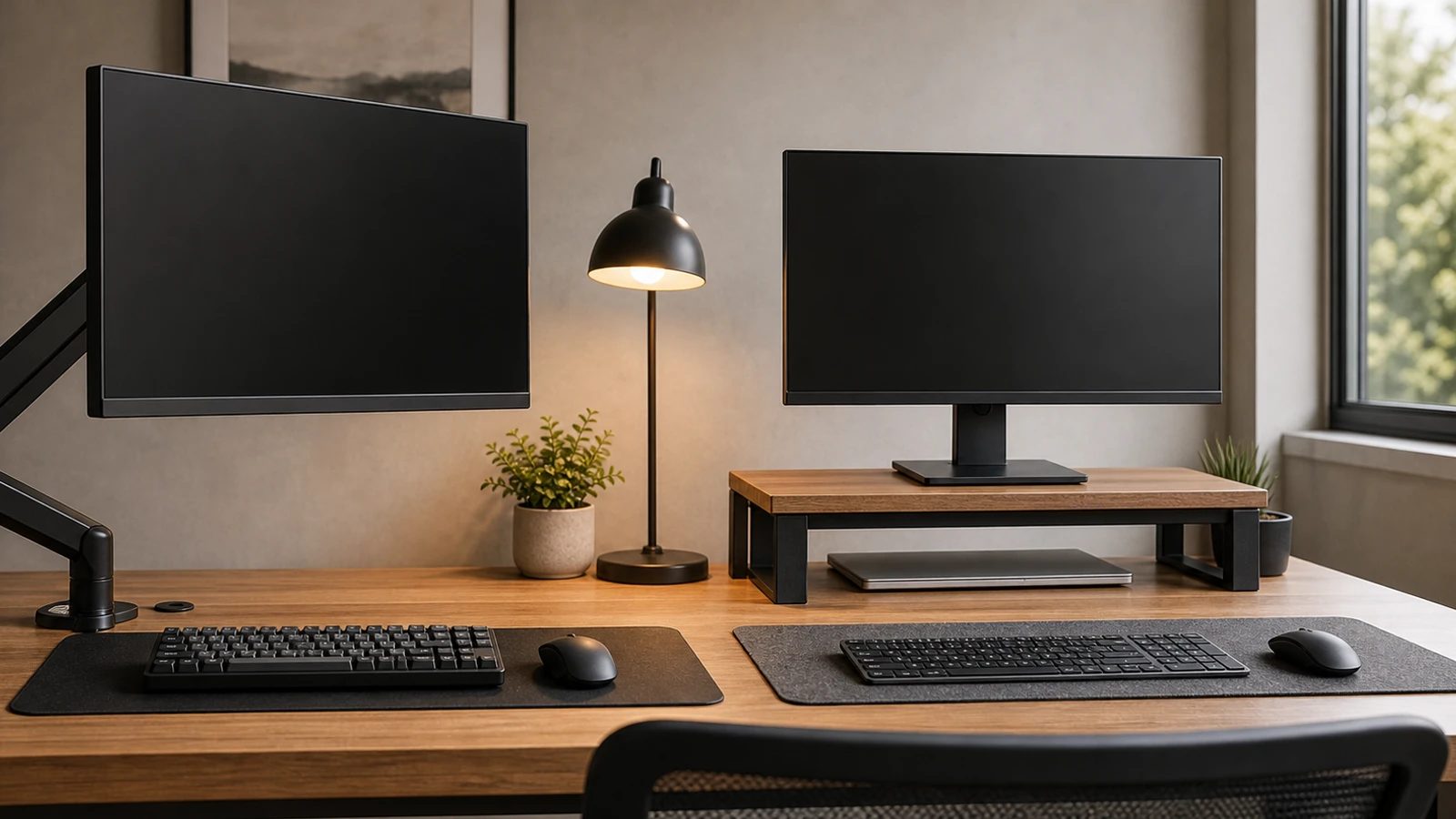
A monitor arm is not automatically better than a stand. It is better when it solves a real geometry problem: the screen is too low, the desk is too shallow, the stock stand wastes space, or you need to move the monitor between tasks.
If your monitor is already stable, centered, an arm’s length away, and at a comfortable height, a monitor arm may be a tidy upgrade rather than a necessary one.
Compare the three options
| Option | Best for | Weakness |
|---|---|---|
| Stock stand | Stable setups, large desks, no need to move the screen | Often wastes desk depth and may not go high enough |
| Monitor riser | Simple height correction, low cost, fixed setup | Uses surface area and cannot fine tune angle or depth |
| Monitor arm | Small desks, frequent movement, dual monitors, cleaner surface | Requires compatibility checks and good installation |
The right answer depends less on the product and more on your desk depth, monitor weight, viewing distance, and how often your work changes.
When the stock stand is enough
Keep the stock stand if it does these things well:
- The top of the screen sits around eye level or slightly below.
- The display is at least about 20 inches away.
- The base does not push the keyboard too close to the desk edge.
- The monitor does not wobble during normal typing.
- You do not need to share the desk with a laptop, drawing tablet, mixer, camera gear, or documents.
Many office monitors ship with adjustable stands that already solve height and tilt. Replacing a good stand with an arm may only make the setup more complex.
When a riser is the practical fix
A riser is best when the monitor is simply too low. It can be a dedicated stand, a sturdy shelf, or another stable platform that brings the screen up without making the desk unsafe.
Choose a riser if:
- You do not move the monitor often.
- The desk is deep enough even after adding the riser.
- You want storage under the screen for a keyboard, notebook, or hub.
- The monitor is heavy or awkward and you do not want to deal with arm weight limits.
Avoid unstable stacks. A monitor platform should not slide, flex, or tip when you adjust the screen.
When a monitor arm is worth it
A monitor arm earns its place when it solves one of these problems:
- Height range: The screen cannot reach a comfortable height on the stock stand.
- Desk depth: The stand base pushes the screen too close.
- Surface space: You need room for writing, a laptop, audio gear, or a drawing tablet.
- Shared desk: You move between laptop mode, writing mode, and video calls.
- Multiple monitors: You need to align two displays without huge bases.
- Cable routing: You want cables to follow the display instead of pulling across the surface.
For a single fixed monitor on a deep desk, the difference may be small. For a small desk with a large monitor, it can be one of the best upgrades.
Compatibility checklist
Before buying an arm, check:
- Mounting pattern: Many monitors support VESA mounting, but not all do.
- Weight range: The monitor must fit within the arm’s supported range, including any heavy stand parts you remove.
- Screen size: Size limits matter because larger displays create more leverage.
- Desk edge: Clamp mounts need enough flat, strong edge surface.
- Desk material: Thin, hollow, glass, or fragile surfaces may need a reinforcement plate or should not be clamped.
- Wall clearance: Some arms need space behind the desk.
- Cable slack: Power and display cables need enough length for movement.
Do not skip the weight range. Arms that are too weak sink. Arms that are too strong may not stay down with a lighter monitor.
Ergonomics: what the arm should actually achieve
The useful target is simple:
- Display centered for your main task.
- Top of screen around eye level or slightly below.
- Screen far enough away that you are not leaning back or forward to read.
- Shoulders relaxed while using keyboard and mouse.
- Neck facing forward instead of twisted toward a side monitor.
If a monitor arm looks clean but puts the display too close, too high, or off center, it is not helping the workstation.
Dual monitor note
Dual monitor arms look tidy, but they are less forgiving than two separate single arms. A single crossbar can limit how precisely you align two screens, especially if they are different sizes.
Choose two separate arms if:
- The monitors are different sizes.
- One display is portrait and one is landscape.
- You need to move one display independently.
- You switch between centered single-monitor and dual-monitor work.
Choose a dual arm if the monitors are identical, the desk edge is strong, and you want one clean mounting point.
Recommendation
Buy the simplest tool that fixes the problem:
- Height only: riser.
- Height plus depth: monitor arm.
- Frequent movement: monitor arm.
- Already correct: keep the stock stand.
- Laptop long sessions: laptop stand plus external keyboard and mouse before a second display.
The most productive setup is not the one with the most hardware. It is the one that keeps the display, hands, and body in the same comfortable system.
Sources and further reading
- OSHA Computer Workstations eTool: monitors
- OSHA Computer Workstations eTool: keyboards
- OSHA Computer Workstations eTool: evaluation checklist
Frequently asked questions
- Is a monitor arm better than a riser?
- Only when you need more than height. A riser is simpler for a fixed setup. A monitor arm is better for depth, movement, small desks, and multi-monitor alignment.
- Can any monitor use a monitor arm?
- No. Check mounting support, weight range, screen size limits, cable slack, and whether your desk can safely hold a clamp or grommet mount.
- Should a monitor be above eye level?
- Usually no. A common baseline is to keep the top of the screen around eye level or slightly below, then adjust for your display size and vision needs.
Last updated May 8, 2026. See our editorial policy for methodology and corrections.
The Signal Brief
One useful dispatch each week.
One sharp take, three things worth reading, and the week's buying signals.