Smart Home
Smart Plug Energy Monitoring: What It Can Actually Save
Smart plugs can schedule lamps, measure plug loads, and cut standby waste, but they are not for every appliance. Here is what to check before buying.
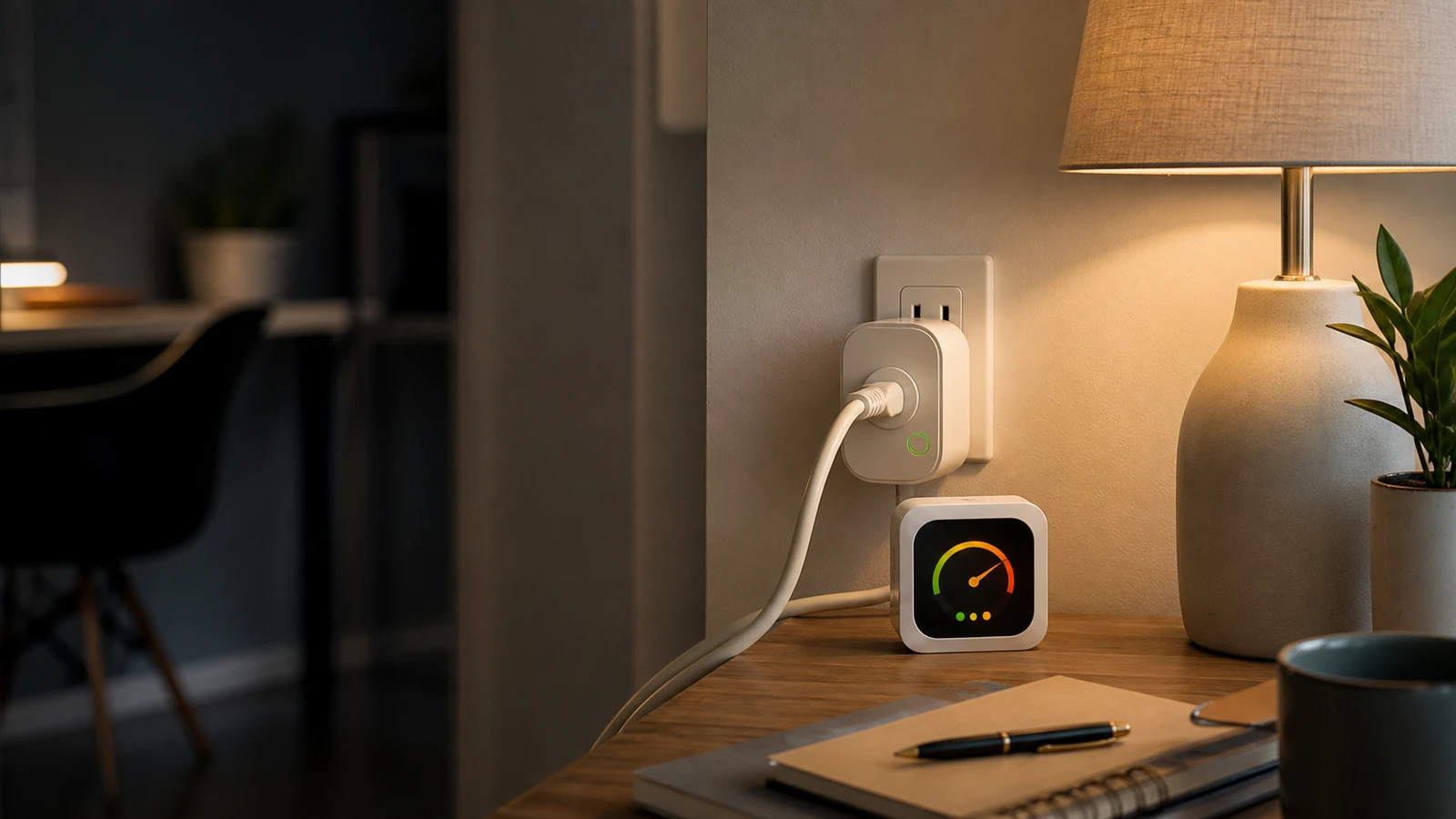
Smart plugs are useful when the job is small and clear: turn a lamp on at sunset, measure how much a desk setup uses, or cut standby power from a device that does not need to stay ready all day.
They are not magic energy savers, and they are not universal appliance switches. The useful version of a smart plug plan starts with measurement, ratings, and a narrow use case.
What energy monitoring actually tells you
An energy-monitoring smart plug usually reports some combination of:
- Current power draw in watts.
- Total energy use over time in kilowatt-hours.
- On/off state.
- Basic usage history.
That can answer practical questions:
- How much does this dehumidifier, desk setup, lamp, or media console use?
- Is the device really off, or just in standby?
- Does a schedule reduce wasted runtime?
- Which small loads are worth addressing first?
It is most useful for plug-in loads where you can safely interrupt power.
Where smart plugs work well
Good uses include:
- Lamps.
- Holiday lights.
- Fans that are safe to restart.
- Desk lighting.
- Media consoles.
- Chargers.
- Humidifiers only if the manufacturer allows plug control.
- Measuring a device temporarily, then removing the plug.
These are simple on/off jobs. If the device has its own startup sequence, compressor, heater, pump, motor, clock, water flow, or safety function, be more careful.
Where smart plugs are the wrong tool
Do not treat a smart plug as a safe default for every appliance.
Avoid or verify carefully before using one with:
- Space heaters or other heat-producing appliances.
- Air conditioners.
- Refrigerators and freezers.
- Sump pumps.
- Medical equipment.
- Aquariums.
- Routers, modems, or security systems that should stay online.
- Washers, dryers, dishwashers, or large appliances.
- Anything where accidental shutoff could cause damage, food loss, safety risk, or a locked-out home.
The question is not only “can the plug handle the watts?” It is also whether remote switching is appropriate for that device.
Check the printed rating first
Before buying or installing:
- Read the plug rating. Look for volts, amps, watts, indoor/outdoor use, and any load restrictions.
- Read the device rating. Compare the connected device against the smart plug’s allowed use.
- Check the instructions. Some plugs exclude appliances, heaters, pumps, or motor loads.
- Avoid daisy chains. Do not stack smart plugs, extension cords, power strips, and adapters into a hard-to-inspect chain.
- Leave room for heat. Do not bury plugs behind furniture or under rugs.
If the instructions are unclear, choose a safer use case.
Energy savings are usually small but real
The Department of Energy notes that advanced or smart power strips can reduce standby consumption by cutting power when devices enter standby. That does not mean every smart plug pays for itself quickly.
The best savings cases are:
- Devices left on by habit.
- Entertainment setups with standby draw.
- Office equipment used only during work hours.
- Decorative lighting.
- Chargers or accessory gear that does not need 24/7 power.
The weaker savings cases are:
- Devices that already use very little standby power.
- Devices that must remain connected.
- Devices where automation encourages more runtime.
For a smart plug to be worth it, it should either solve a convenience problem or reveal a real energy pattern.
Privacy and security checks
A smart plug is still an internet-connected device. Before adding many of them:
- Change default router and account passwords.
- Keep the plug app and firmware updated.
- Use a guest or IoT network if your router supports it.
- Avoid obscure apps with unclear update history.
- Check whether energy data stays local, goes to a cloud service, or is shared with third parties.
- Remove unused devices from the app when you retire them.
The FTC’s consumer guidance for connected devices starts with the router for a reason: the network is the shared doorway for the rest of the devices.
A practical buying checklist
Choose a smart plug that has:
- Clear safety certification and printed electrical ratings.
- Energy monitoring if measurement is the goal.
- Matter, Zigbee, Z-Wave, or Wi-Fi support that matches your setup.
- A physical on/off button.
- A compact shape that does not block the second outlet.
- A visible manufacturer, support page, and firmware update path.
- An indoor/outdoor rating that matches where it will be used.
Then buy one. Test it for a week before buying a pack.
Sources and further reading
- Energy.gov: Save energy with a smart power strip
- DOE FEMP: Measuring standby power
- ENERGY STAR: Smart Home Energy Management Systems
- FTC: Securing internet-connected devices at home
- CPSC: Power Up With Safety
- Related: Power Strip vs Surge Protector and Smart Bulb vs Smart Switch
Frequently asked questions
- Do smart plugs save electricity?
- They can save electricity when they cut unnecessary standby or runtime, but savings depend on the connected device and schedule. Measure first instead of assuming every plug will pay for itself.
- Can I use a smart plug with a space heater?
- Avoid it unless the heater and smart plug manufacturer explicitly allow that use. Heat-producing appliances can create serious fire risk if used with the wrong controller.
- Is energy monitoring worth paying extra for?
- It is worth it when you want to measure actual plug loads or verify savings. If you only need a lamp schedule, a simpler smart plug may be enough.
Last updated May 12, 2026. See our editorial policy for methodology and corrections.
The Signal Brief
One useful dispatch each week.
One sharp take, three things worth reading, and the week's buying signals.