Smart Home
Smart Thermostat Settings: A Practical Home Schedule
A plain-English thermostat schedule for comfort, savings, heat pumps, humidity, renters, and when a smart thermostat is not the real fix.

A smart thermostat can save energy, but the device is not the whole strategy. The schedule matters. The house matters. The HVAC system matters. Comfort, humidity, pets, health needs, and landlord rules matter too.
The goal is not to copy one internet temperature. The goal is to build a repeatable schedule that avoids heating or cooling an empty home harder than necessary.
What a smart thermostat can do
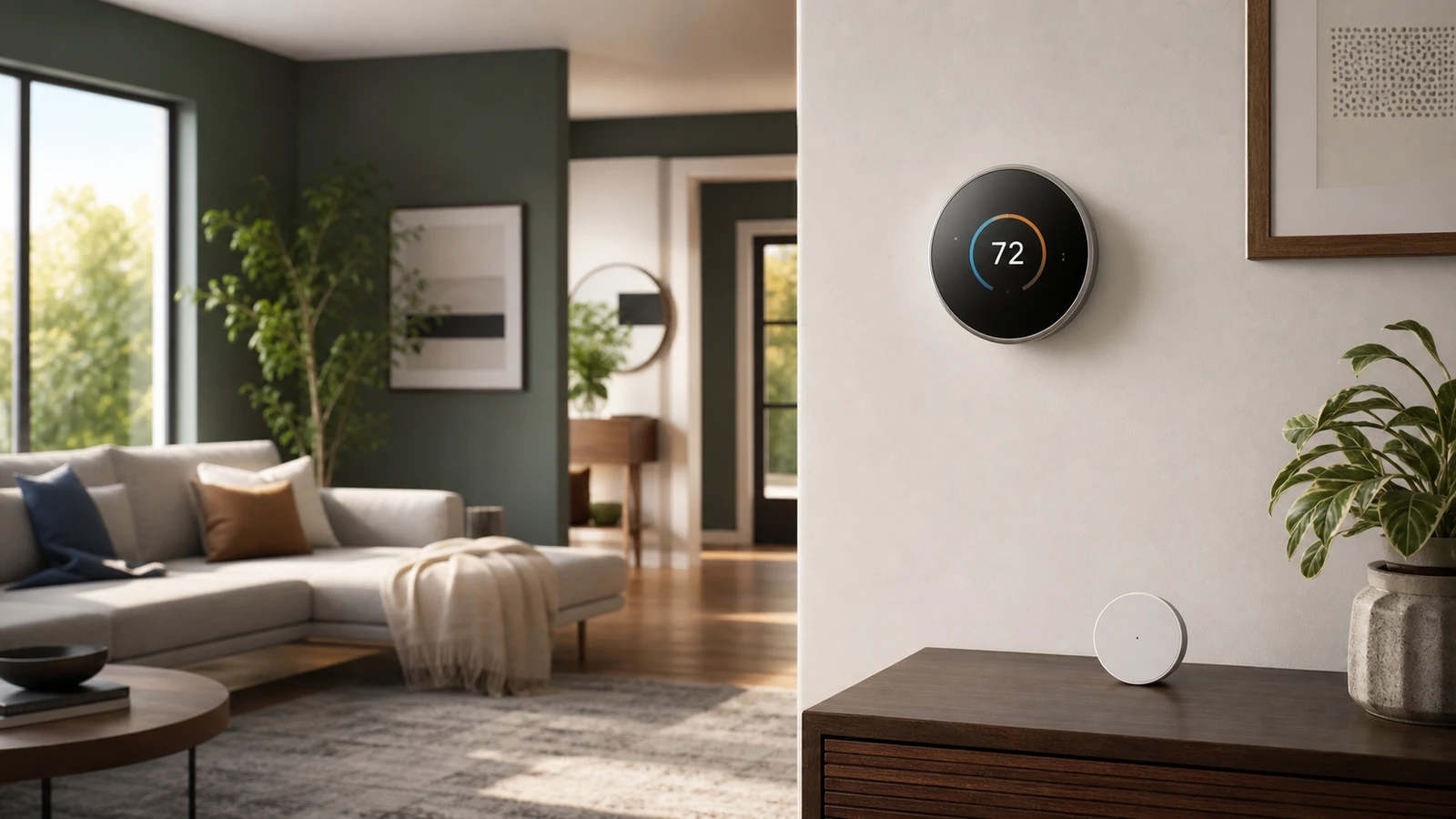
ENERGY STAR describes smart thermostats as Wi-Fi enabled devices that can automatically adjust heating and cooling settings. Common features include learning schedules, remote control, geofencing, usage data, low-power standby, and software updates.
Those features help when they reduce wasted runtime. They do not fix:
- Leaky ducts.
- Poor insulation.
- Bad thermostat placement.
- A short-cycling HVAC system.
- Rooms that are much hotter or colder than the thermostat location.
- A household that constantly overrides the schedule.
If the house has a comfort problem, treat the thermostat as one control, not the whole solution.
Start with occupancy, not temperature
Build the schedule around four modes:
| Mode | Goal | Typical use |
|---|---|---|
| Home | Comfortable and stable | Morning, evening, weekends |
| Away | Reduce unnecessary runtime | Work, school, errands |
| Sleep | Comfortable but efficient | Overnight |
| Vacation | Protect the house, not daily comfort | Multi-day absence |
The right number depends on the home. Start with small changes and watch how long the system takes to recover. If the house takes hours to return to comfort, the setback may be too aggressive.
Heating schedule
For conventional heating, the Department of Energy recommends setting a programmable thermostat as low as is comfortable in winter and lowering the setpoint when sleeping or away.
A conservative heating pattern:
- Wake/home: choose the lowest temperature that is still comfortable.
- Away: lower the setpoint modestly.
- Evening: return to comfort before the room is actually needed.
- Sleep: lower again if the household sleeps comfortably that way.
Avoid turning the heat so low that pipes, pets, vulnerable people, or humidity conditions become a concern.
Cooling schedule
For cooling, the same logic runs in the other direction: keep the home comfortable when occupied, then let it drift warmer when everyone is away.
A conservative cooling pattern:
- Home: choose the warmest comfortable setting, with humidity in mind.
- Away: raise the setpoint modestly.
- Pre-cool only when needed: let the thermostat recover before people arrive, but do not cool empty rooms all afternoon.
- Sleep: set for actual sleep comfort, not a generic online number.
Humidity matters. In humid climates, an overly warm setback can leave the home clammy or encourage comfort problems even if the air temperature looks acceptable.
Heat pump caution
Heat pumps may not respond like conventional furnaces. The DOE notes that if you have a heat pump, you should maintain a moderate setting or use a programmable thermostat specially designed for heat pumps.
Why this matters:
- Large setbacks can trigger auxiliary heat on some systems.
- Recovery may take longer than expected.
- The most efficient schedule may be steadier than a gas furnace schedule.
- Thermostat settings must match the equipment type.
If your bill rises after aggressive setbacks, the schedule may be fighting the system.
Settings that usually help
Useful smart thermostat settings include:
- Geofencing: good when household schedules are irregular.
- Learning schedule: useful if you accept corrections instead of fighting them every day.
- Early start: helpful when you want comfort by a specific time.
- Humidity display: useful in cooling season.
- Filter reminders: helpful maintenance prompt, not a substitute for checking the real filter.
- Runtime reports: useful for spotting changes after weather, repairs, or schedule edits.
Turn off features that cause confusion. A predictable manual schedule is better than a smart schedule nobody understands.
When not to buy one yet
Wait before buying a smart thermostat if:
- You rent and cannot change the thermostat.
- Your HVAC wiring or compatibility is unclear.
- The current thermostat is in a bad location.
- The system already has unresolved service issues.
- You need multi-room comfort more than scheduling.
- Your household will constantly override app-based controls.
In those cases, maintenance, air sealing, curtains, fans, or a qualified HVAC check may matter more.
A simple first-week setup
- Record your current thermostat settings.
- Install only if the thermostat is compatible and allowed.
- Create home, away, sleep, and vacation modes.
- Use modest setbacks for one week.
- Check comfort complaints, humidity, and runtime.
- Adjust by small steps.
- Do not judge savings from one unusual weather week.
The best schedule is one the household can live with.
Sources and further reading
- ENERGY STAR: Smart Thermostats
- ENERGY STAR Smart Thermostat FAQ
- Energy.gov: Fall and winter energy-saving tips
- Energy.gov: Home heating systems
- FTC: Securing internet-connected devices at home
- Related: Smart Plug Energy Monitoring and Home Office Setup Guide
Frequently asked questions
- Do smart thermostats really save money?
- ENERGY STAR says certified smart thermostats must demonstrate annual savings based on real-world installations. Your actual savings depend on climate, equipment, schedule, comfort preferences, and how often the household overrides the thermostat.
- Should I use the same schedule with a heat pump?
- Not always. Heat pumps often work best with more moderate settings. Large setbacks can be counterproductive on some systems, especially if auxiliary heat turns on during recovery.
- What is the best smart thermostat temperature?
- There is no single best number for every home. Use the most efficient setting that still keeps people, pets, humidity, pipes, and equipment safe.
Last updated May 12, 2026. See our editorial policy for methodology and corrections.
The Signal Brief
One useful dispatch each week.
One sharp take, three things worth reading, and the week's buying signals.